

Your Go-To Guide for Picking an eSIM Data Plan That Actually Works
An eSIM data plan is a fully digital, embedded SIM card that lets you activate mobile data without a physical plastic card. It works by downloading a carrier profile directly to your device, so you can switch networks or add data in seconds. The biggest perk is skipping the hunt for local SIMs while traveling—just scan a QR code or tap an app, and you’re online instantly. For global adventurers, having multiple data profiles on one phone is a total game-changer.
Beyond the Plastic Card: What Makes Embedded SIMs Different
An embedded SIM, or eSIM, is physically soldered onto your device’s motherboard, eliminating the fragile plastic card and slot entirely. For an eSIM data plan, this fundamental design shift means you activate service remotely via a QR code or app, without waiting for a physical card to ship or risk damaging it. Switching plans or carriers becomes a digital process managed through settings, not a hunt for a SIM eject tool. This inherent resilience and remote provisioning make embedded SIMs inherently more convenient and reliable for managing data connectivity, especially for frequent travelers or users juggling multiple lines on a single device.
How Digital Profiles Replace Physical Trays
Instead of fiddling with a nano-SIM tray, an eSIM data plan lets you instantly download a digital profile to your device’s embedded chip. This profile stores your carrier credentials, removing the need for a physical card slot. Activating new service becomes a matter of scanning a QR code or tapping an app, not hunting for a paperclip to eject a tray. Swapping between travel and home plans happens in seconds through settings, with no hardware swaps or lost plastic cards.
- No more prying open phone cases or searching for a SIM ejection tool.
- Each digital profile lives independently on the chip, allowing multiple carrier plans on one device.
- You can reprovision or delete a profile remotely without ever handling a physical tray.

The Critical Difference Between Multi-IMSI and Static Profiles
The critical difference comes down to how your eSIM handles network access. A static profile locks you into one carrier forever, so if you travel, you must delete it and install a new local profile. Multi-IMSI, however, stores multiple subscriber IDs on a single profile. Your device then automatically selects the best local network identity for wherever you are. This means you roam seamlessly without re-downloading eSIMs, reconfiguring settings, or managing multiple profiles. For frequent travelers, Multi-IMSI delivers one-click, always-optimal connectivity, while static profiles force a manual swap every time you cross a border.
Why Devices Are Getting Smaller Without Sacrificing Connectivity
Device miniaturization thrives on embedded SIMs because they eliminate the physical card slot, freeing internal space for better antennas and larger batteries. This slimmer device architecture does not hinder connectivity; the eSIM’s soldered chip allows for direct integration with the modem, reducing signal loss. For a seamless eSIM data plan experience, you follow a clear sequence:
- User remotely provisions a carrier profile to the eSIM.
- The device authenticates securely without a swappable card.
- Connectivity scales instantly as the eSIM supports multiple concurrent profiles.
This direct-to-modem link ensures faster switching and stable LTE/5G reception, proving that smaller hardware equals more reliable, not less, connection.
Mapping Out Mobile Costs Before You Travel
Before I left for Japan, I mapped out mobile costs by comparing my home carrier’s $10/day roaming against an eSIM data plan. The eSIM offered 10GB for $18 total over two weeks, so I purchased and installed it before boarding. That simple calculation saved me over $120. Mapping out mobile costs involves checking coverage maps for speed and signal strength in your specific travel areas, not just price. I learned this when my hotel in rural Hokkaido showed poor eSIM reception. Always confirm the plan includes hotspot tethering if you need it for a laptop.
Pre-paying for eSIM data means your phone automatically uses local networks, avoiding surprise daily charges while you explore.
By reviewing data limits versus your typical social media and map usage, you avoid buying too much or too little.
Short-Term Tourist Bundles vs. Long-Term Data Subscriptions
When mapping mobile costs, the choice between a short-term tourist bundle and a long-term data subscription hinges on your travel frequency. A tourist bundle, often valid for 7–30 days, offers a fixed data cap at a lower upfront cost, making it ideal for a single trip with no recurring commitment. In contrast, a long-term subscription, typically monthly or yearly, provides a higher data allowance per dollar but includes recurring charges that may go unused between travels. The former avoids waste from expired data, while the latter reduces per-gigabyte cost for return visitors. Aligning your trip duration with the bundle’s validity is critical to avoid paying for idle service.
| Aspect | Short-Term Tourist Bundle | Long-Term Data Subscription |
|---|---|---|
| Commitment | No recurring charges, valid for set days | Monthly or yearly auto-renewal |
| Cost Efficiency | Higher per GB for single use | Lower per GB for repeat use |
| Waste Risk | Data expires, but no unused periods | Unused months still billed |
Hidden Fees in Roaming Packages You Should Watch For
When evaluating an eSIM data plan, scrutinize the fine print for hidden fees in roaming packages that inflate costs. Some providers charge a “connection fee” each time your device latches onto a new network tower abroad, which can accumulate rapidly if you cross borders or switch between zones. Others levy daily “service activation” charges that bypass the advertised rate, or impose a “top-up surcharge” when you add data mid-trip, turning a cheap add-on into a costly expense. Additionally, watch for “inactivity fees” if you fail to use the plan within a specific window after purchase. Compare stated versus final totals to avoid these unexpected deductions.
Comparing Prepaid Top-Ups Across Regional Carriers
When comparing prepaid top-ups across regional carriers, prioritize per-gigabyte cost rather than initial package price. A carrier in Southeast Asia may offer a 5GB top-up for $4, while a neighboring carrier charges $6 for only 3GB, making the first carrier significantly more cost-effective for data-heavy use. Evaluate top-up expiration periods, as some carriers require refills monthly while others allow unused data to roll over for 90 days.
- Compare per-GB rate after converting to your home currency to isolate true value.
- Check if the top-up auto-renews or requires manual purchase to avoid unexpected charges.
- Verify whether the prepaid balance can be used for eSIM activation or only for traditional SIMs.
Device Compatibility: Which Gadgets Actually Support This Tech
For an eSIM data plan, compatibility hinges on your device having an embedded SIM chip. Most recent flagship smartphones from Apple (iPhone XR and newer), Google Pixel (3a and newer), and Samsung Galaxy (S20 series and newer) support this tech. Many modern smartwatches, such as the Apple Watch Series 4 and later or Samsung Galaxy Watch 4 and beyond, also include eSIM support, often requiring a separate data-only plan. Laptops like the Microsoft Surface Pro X and select iPad Pro models (3rd gen and later) can activate an eSIM data plan directly. Crucially, a device advertised as “eSIM capable” may still be locked to a specific carrier, so verifying manufacturer compatibility before purchase is essential.
Smartphones That Offer Dual-SIM Flexibility
For users of an eSIM data plan, dual-SIM flexibility in smartphones allows you to maintain your physical home SIM while activating a secondary eSIM for travel or work. The latest iPhone models, such as the iPhone 15 and 16 series, support dual eSIMs without needing a physical card at all. Google Pixel 8 and 9 devices let you use one physical SIM alongside one eSIM, switching data streams in settings. Samsung Galaxy S24 and S25 series offer comparable flexibility, enabling a physical SIM for calls and an eSIM for data. To configure dual-SIM effectively:
- Insert your physical SIM into the tray.
- Scan the eSIM QR code from your provider in the phone’s mobile network settings.
- Assign the eSIM as your primary data line while keeping the physical SIM for voice.
Laptops, Tablets, and Wearables with Integrated Profiles
For laptops, tablets, and wearables, an integrated eSIM profile means you can add a data plan directly in the device settings without hunting for a physical SIM card. In laptops like a Surface Pro or iPad, this lets you stay online on a train without tethering your phone. For smartwatches, a linked cellular plan shares your phone number. To get started:
- Check the device’s settings menu for a “Cellular” or “Mobile Data” section.
- Scan a QR code from your carrier or pick a plan from a list of supported providers.
- Activate the profile and assign it as your primary data source.

This process removes the need to juggle tiny SIM trays, making integrated eSIM profiles on laptops and wearables a fuss‑free upgrade for staying connected.
How to Check if Your Existing Phone Can Use Remote Provisioning
To verify your phone supports remote provisioning for an eSIM data plan, first navigate to Settings > About Phone > Status and look for an **ICCID** number. An empty or missing field means your device likely lacks eSIM hardware. Next, dial `*#06#`—if you see an EID (Embedded Identity Document) alongside the IMEI, your phone is compatible. For a definitive check, visit your specific manufacturer’s support page and search “eSIM compatibility.”
Q: Does a phone with a physical SIM slot always support remote provisioning?
A: No. Only newer models with an eSIM chip allow it; check the device’s official specifications for “Dual SIM (nano-SIM + eSIM).”
Activation Steps for Instant Connectivity
Activating your eSIM data plan for instant connectivity is straightforward. First, purchase a plan and receive a QR code or manual activation code from your provider. Open your device’s cellular settings, select ‘Add eSIM,’ and scan the QR code. Your phone will auto-configure the network. Immediately toggle cellular data to the new line. For immediate use, ensure airplane mode is briefly enabled—this forces the network handshake. Most setups activate within minutes; if not, restart your device to finalize the profile installation. Host networks often require this single reboot to recognize your unlocked eSIM profile. After restarting, you’ll have live data access without needing a physical SIM.
Purchasing and Downloading a Profile in Under Five Minutes
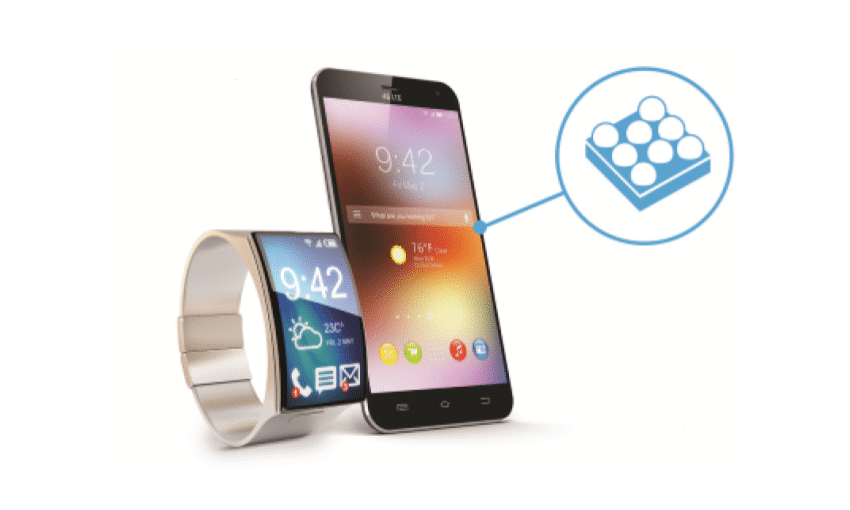
To achieve activation in under five minutes, first purchase your eSIM data plan by selecting a supported package from the provider’s app or website, then input the delivery email. Immediately after payment, follow the on-screen prompt to install your eSIM profile; on iOS, navigate to Settings > Cellular > Add Cellular Plan and scan the QR code, or tap the direct link for an automatic download. For Android, go to Settings > Connections > SIM Manager > Add eSIM. The profile downloads and activates within seconds, eliminating physical card swaps. Simply toggle the new line in your device settings to complete instant connectivity.
Q: Can I download the eSIM profile on a different device than where it’ll be used?
A: No, for instant activation, the profile must be purchased and downloaded directly on the device that will use the data plan, as the QR code or download link is device-specific and tied to that hardware’s IMEI.
Managing Multiple Plans Through Your Settings Menu
After activation, your device’s settings menu becomes the central hub for managing multiple eSIM data plans. You can label each plan by line (e.g., “Work,” “Travel”) for easy identification. Toggle cellular lines on or off individually to control which plan provides data at any time. Set a default for voice and another for data, or switch primary data lines instantly when traveling. The menu lets you remove old plans without deleting your eSIM profile entirely.
Q: Can I switch between eSIM plans without restarting my phone?
Yes, you can toggle data lines live in your settings menu—no restart needed.
Troubleshooting Activation Failures on Locked Devices
When facing activation failures on a carrier-locked device with an eSIM data plan, the issue typically stems from carrier restrictions. Confirm the device is unlocked for your specific network by verifying the IMEI with the original carrier. Next, remove any existing eSIM profiles and restart the device before rescanning the QR code. Manual APN configuration is often essential after activation. Follow this sequence:
- Check device lock status via Settings > General > About > Carrier Lock.
- If locked, request an unlock from the original carrier.
- After unlock confirmation, delete all eSIM profiles and power cycle.
- Re-scan the eSIM QR code and manually set APN details under Mobile Data.
- Toggle Airplane Mode on and off to force network registration.
Network Performance Across Different Regions
When evaluating an eSIM data plan for travel, network performance across different regions hinges on which local carrier your eSIM provider partners with. In dense urban zones across Europe or East Asia, you often get high-speed LTE/5G on primary networks, but that same eSIM might throttle to 3G in rural areas if it relies on a budget roaming partner. Before departure, check if your plan includes “native access” to the region’s dominant carrier—like SoftBank in Japan or Telstra in Australia—rather than a secondary network. Q: Which region causes the most connectivity drops with eSIMs? A: Remote mountainous regions, where a secondary network partner may have zero coverage, requiring you to manually switch to a local physical SIM for reliability. Always confirm if your eSIM supports dynamic carrier switching within the region.
Speeds on Local Infrastructure versus International Roaming Partners
When you travel with an eSIM data plan, you’ll feel a big difference between connecting to local infrastructure versus using an international roaming partner. Plugging directly into a local network feels like you’ve unlocked best local network speeds, often rivaling what residents get. Roaming partners, however, can throttle your connection, making app loading annoyingly slow. Sticking with a plan that prioritizes local infrastructure avoids that frustrating drop in speed during video calls or map navigation.
Latency Impacts When Switching Between Providers
Switching eSIM providers mid-trip directly introduces latency variability due to provider handoffs. Your device must authenticate with a new network, adding 1–3 seconds of connection lag before data flows. Once active, latency often spikes because each provider prioritizes local routing differently. For example, a Japanese carrier might route traffic through Tokyo, while a new European partner uses Frankfurt, doubling ping times. To minimize disruption:
- Preload the alternate provider’s eSIM while still on your current network to reduce handshake delays.
- Manually select a local roaming partner in your device settings after switching, avoiding default routes that increase distance to servers.
- Use a ping test app immediately after activation to confirm latency under 100ms for real-time tasks.
Data Throttling Policies You Need to Know About
When evaluating an eSIM data plan, you must examine data throttling policies, as speeds are often reduced after crossing a soft cap, impacting real-time navigation or video calls. Some carriers apply per-region thresholds, meaning your allowance depletes faster in high-demand networks, while others impose fixed reductions regardless of usage patterns. Throttling depth varies between 128 kbps—barely sufficient for messaging—and 1 Mbps, enabling basic streaming. A policy may also differentiate between day-one full speeds and subsequent low-priority access.
| Policy Aspect | Soft-Cap Throttling | Hard-Cap Throttling |
| Speed After Cap | Reduced to 128–512 kbps | Cut to 64 kbps or blocked |
| Region Variation | Cap may reset per country | Global single cap enforced |
Security and Privacy Considerations
An eSIM data plan’s security relies on the remote SIM provisioning standard, which uses end-to-end encryption to transmit your profile to the device. This prevents physical SIM swapping, but the primary privacy risk is the permanent pairing of your eSIM profile to a specific device IMEI, enabling a carrier to track device location with cellular-level precision. Unlike a physical SIM you can remove, your eSIM remains active within the device’s secure element, meaning a compromised phone or phishing attack targeting the eSIM activation QR code can lead to account takeover. Reducing this risk requires disabling remote management features if they are unnecessary for your usage. Always verify that the plan’s activation portal uses HTTPS and that your phone’s eSIM interface is locked behind a PIN to prevent unauthorized downloads.
Remote Deletion Capabilities for Lost or Stolen Devices
Remote deletion capabilities are a critical protective measure for eSIM data plans, allowing users to erase profiles and associated data from a lost or stolen device via a web portal or app. This action severs the eSIM’s connection to the network, preventing unauthorized usage and access to plan credits. Execution is typically instantaneous once the device connects to a network, rendering user credentials and downloaded profiles invalid. A key consideration is the distinction between wiping the eSIM profile and performing a full factory reset; remote deletion usually targets only the eSIM container, leaving other device data intact unless integrated with broader security tools. eSIM remote wipe thus becomes a granular, swift countermeasure against data breaches.

Q: Can remote deletion for eSIM be triggered while the lost device is completely offline?
A: No, the deletion command is queued on the provider’s server and only executes the next time the device connects to a cellular or Wi-Fi network, so immediate effect depends on connectivity.
How Encryption Differs Between Physical SIMs and Digital Profiles
With a physical SIM, encryption is static; your secret key is permanently stored on the card at manufacture, making it a tangible target for cloning attacks. In contrast, an eSIM’s digital profile employs dynamic encryption, where the operator securely downloads a unique cryptographic key over the air after verifying your identity. This process means the key never physically leaves the secure element on your device’s chip, eliminating the risk of physical theft. For an eSIM data plan, this is a fundamental shift—the difference between protecting a vulnerable object and protecting a process that re-authenticates your encrypted digital identity with every session. Remote provisioning also allows operators to refresh or expire keys instantly without hardware replacement.
Risks of Using Unverified Third-Party Providers
Using an unverified third-party provider for your eSIM data plan can expose your personal details to sketchy operators who might not follow basic security practices. Your payment information and passport scans could easily be mishandled or even sold. Worse, these providers sometimes deliver fake or cloned eSIM profiles that won’t work properly, locking you out of your data when you need it most. You also risk having your connection silently redirected to insecure networks, allowing strangers to snoop on your activity. Always stick with well-known, established resellers to avoid these headaches. Protect your identity by skipping cheap, unverifiable deals entirely.
Budget Planning for Heavy Data Users
For heavy data users, budget planning for an eSIM data plan requires prioritizing high-volume, fixed-cost packages over per-GB pricing to avoid bill shocks. Look specifically for plans offering 50GB, 100GB, or unlimited data caps that align with your typical monthly consumption. Compare the total cost of a 30-day plan against your actual usage, and track whether you consistently exceed your allowance, which then necessitates upgrading to a larger tier. Annual or multi-month eSIM plans often provide the best per-GB value, reducing the risk of mid-cycle top-ups. Always verify if your chosen eSIM plan includes throttled speeds after the data cap, as this can affect your need to purchase supplemental data packs, further impacting your overall budget.
Unlimited Tiers vs. Capped High-Speed Allowances
For heavy data users, the core choice in eSIM budget planning is between unlimited tiers versus capped high-speed allowances. Unlimited plans offer predictable monthly costs but often enforce throttled speeds after a fairness threshold, making them suitable for continuous streaming and tethering at reduced quality. Capped high-speed allowances guarantee full network priority up to a set gigabyte limit; exceeding this triggers either total data cutoff or slower speeds, but the high-speed portion is consistent. This trade-off demands careful usage estimation: heavy consumers who prioritize sustained speed for work may prefer a larger cap, while those needing constant but slower connectivity benefit from uncapped, throttled access.
Unlimited tiers provide constant, speed-capped data for predictable cost, while capped high-speed allowances deliver full network priority up to a limit, then slow or stop—choice depends on whether you value continuity or peak performance.
Family and Multi-Device Shared Pools
For heavy data users managing multiple devices, a multi-device shared pool within an eSIM data plan allows you to allocate a single data allowance across smartphones, tablets, and hotspots. Each device consumes from the same bucket, preventing per-line overage charges. You can monitor usage per device to identify drains. Most providers let you adjust allocation granularly—for example, pausing a child’s tablet access.
- Assign a fixed data quota per device to avoid one user exhausting the pool.
- Enable real-time alerts when any device reaches 80% of its allocated share.
- Choose a plan with rollover data to carry unused pool allowance to the next cycle.

Special Promotions During Peak Travel Seasons
When planning your budget for heavy data usage, keep an eye out for peak season eSIM deals that suddenly appear around holidays like summer or Christmas. Providers often slash prices on UK eSIM large data packs or toss in extra gigabytes for free during these times, so checking for flash sales a week before you travel can save you cash. Don’t just buy the first cheap plan—compare timed offers, as they sometimes overlap with major events. Q: How can I find last-minute promotions? A: Set alerts on your favorite eSIM brand’s app or site, and scan their social media a few days before your trip, since deals pop up fast and expire just as quickly.
